Monday, June 30, 2014

Week 2 - Storybird

I find myself often overwhelmed by all the amazing options I have for incorporating technology in to my classroom. But the biggest thing I often think about it which tool will be the easiest and quickest for my kids to learn to use and which tool will foster collaboration and engagement.

An awesome and exciting digital tool that can be used to enhance literacy is Storybird. Storybird is a digital story making tool that allows users to choose from many unique illustrations to build digital books. After students create digital stories, they are able to share their work in a safe and private classroom library. Other students can then read and comment on stories written by their classmates. So Storybird not only provides creative outlets to enhance reading and writing, but it fosters collaboration among students and the teacher. Teachers can create assignments or just offer Storybird as a free-play option. Teachers can also monitor and give feedback to students in the privacy-protected digital classroom environment. Even reluctant readers and writers can be encouraged and inspired when they are able to see what other students in the class are creating. Students can use it at home and share their creations with family. Storybird can be used on any device and best of all, it is free for teachers!


Some educational needs that Storybird can address are writing narratives with real or imaginary events and practicing using descriptive details and good sequencing in their writing. Storybird can also support learning of reading skills such as character, plot, setting, and theme. Storybird can be used with any age and any academic ability. Check out this link to a public story on Storybird. Has anybody used Storybird with their class?


Friday, June 27, 2014

Back to Blogging...Week 1!

I am officially back to blogging for my new class, Technology to Enhance Literacy. I hate that I have not blogged since my last class which required it. I wish I could do it more but I find it hard to find the time to do it. I am excited to learn more about enhancing literacy through technology. As a math teacher, it is easy to think I don’t need to be concerned with literacy in my classroom. But that thought is immensely incorrect. As we move into the 21st century, it is becoming more and more important for students to clarify and explain their thinking, as well as communicate and collaborate to deepen their understanding of a topic. This is extremely critical in a math classroom. I ran across this article and found the information on literacy in a math classroom very helpful.


During this course, we will be reading from two books. As I completed this weeks reading assignment, I was drawn to the discussion of H.G. Wells’ publication The Time Machine. In this story, a time traveler from 1895 enters a classroom in the year 2010. The time traveler is relieved to find the classroom is not much different from the classroom he left behind. The thought that we still have classrooms in our day and age that still require students to passively take in a teachers lecture day after day is frightening. In Literacy 2.0: Reading and writing in 21st century classrooms, the authors discuss how “students have a deep-seated need to communicate and collaborate, to access information at any time of the day or night, and to have tools that will enable them to synthesize, evaluate, and create information.” Students are hungry for more technology in the classroom. They want and need to collaborate and create. I want to be an educator that feeds that hunger in my students. I want to provide opportunities for literacy to deepen understanding of math topics in my classroom. And I want my students to learn the digital tools they can use to communicate, collaborate, and create for educational purposes.

Thursday, April 17, 2014

Online Collaboration Tools

I have been very excited with all the online collaboration ideas that I have gained from taking this class. So far, some of the online collaboration that I have done with my kids has been through Google Slides and Twiducate. We have used Google Slides to do collaborative presentations over different topics in math. One project we just finished was this Math Alphabet Review presentation. My kids enjoyed doing the presentation and it was great review for them before we take the MAP test. We have used Twiducate to do problem of the day. I post a math problem that I want my students to answer and they get really excited to do it on Twiducate! If I were to give them the same problem on paper, I’m sure they would not be nearly as excited.


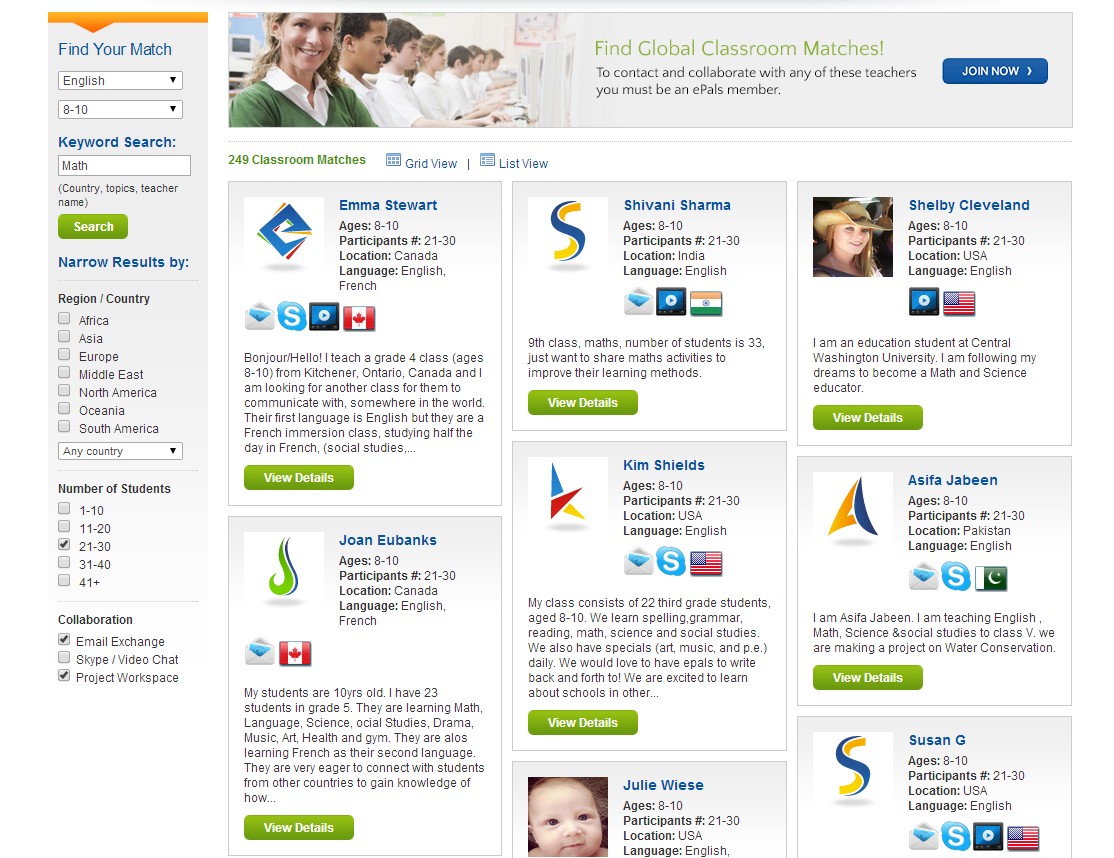
A new online collaboration tool that I came across is ePals. ePals is a global collaboration community which allows students to collaborate through e-mail, video calling, or a project work space with other students from all over the world. Teachers or parents can use the classroom match tool to connect with other classrooms. 


ePals Clubhouse and ePals SchoolMail 365 are safe environments for students to connect and share with one another. Students can use this to do an online collaboration project with students of other states or countries or it can be used to simply connect and learn about other cultures. A class studying Chinese can connect with a class studying English in China and they could do a project together! I think it would great for elementary students to use it as a pen pal system to learn more about students in a different country. I know that the e-mail system in free to teachers and students but I am not sure yet if the Clubhouse and project work space are free. I will have to do some investigating!


Saturday, April 12, 2014

Twitter Chat

I participated in my first Twitter chat this past week! And boy was it quite an experience! The chat I participated in was #4thchat. This chat was created for fourth grade teachers, which made it nice since everyone participating was a fourth grade teacher like myself. Our topic was Earth Day. The moderator asked some great questions about activities that can be used in our classroom for Earth Day and about how to teach kids to reduce their carbon footprint. It was very exciting to see all the amazing responses. I loved when one of the participant made the comment that she must be completely brain dead from her first day back from break because she couldn't think of anything and everyone else sounded like a bunch a geniuses! I couldn't agree more. People were throwing out some amazing ideas in a matter of seconds. I was able to leave the chat with not only great ideas but I was able to follow, and was followed, by about 5-6 new people on Twitter. So my PLN grew!

The only thing I found challenging was finding time to do the chat. I had a whole list of chats that I could participate in throughout the week, but as a parent of two kids who has activities literally every single night of the week, none of the times were very convenient. I had to enlist help from other people to get my kids where they needed to be in order to sit down and participate. I will certainly try my best to participate in more chats because it was very beneficial. But if I’m going to continue something on a regular basis, it has to be convenient.


Wednesday, April 2, 2014

Social Networking

Social networking’s popularity is definitely on the rise. People of all ages, including my fourth graders, have accounts on Facebook, Pinterest, and other social networking sites. I have a love/hate relationship with social networking. I have accounts with several social networking sites and I love using it as a way to get great teaching ideas and resources and also to keep in touch with loved ones. But I know I spend too much time on these sites! I hate how easily they draw me in! And keeping up with all the sites I have accounts for can be tough at times. But that certainly does not stop me because I see how beneficial they are to me as a teacher. Below are my thoughts on the social networking sites that I use!


I did not join Facebook until 2008, which is late compared to some. I have been able to use it not only for personal connections, but I have followed some great people and organizations that post teaching resources daily. One that I really like is Laura Candler’s Teaching Resources page. This page posts activities, questions, and links several times a day. Another page I like is called Teaching Ideas, which shares pictures of different activities or links to webpages that have great resources.

I enjoy Pinterest immensely! I follow Laura Candler on Pinterest as well and I have also followed several education boards which allows me to see links that anyone posts to that board, whether I follow the person or not. And I like the ease of being able to search anything on Pinterest and having so many resources pop up. It makes it extremely easy to get fun ideas to use in class for a certain topic or skill. Why create something when someone already has created it? And Pinterest makes it very easy to find these already-created resources.

Google+
I recently opened a Google+ account and have not explored too much with it yet. It seems very similar to Facebook and I was able to join an education “circle” on Google+, which allows me to see what other people in the group post pertaining to everything education. I also like how you can create circles to organize people you follow.

Nings
Nings are new to me but while exploring the links on Blackboard, I set up an account with the Classroom 2.0 Ning. It seems that there are a lot of forum discussions on that ning which will be great to use when needing ideas or advice on a certain topic. My account still has to be approved but I am excited to play with that!


Thursday, March 27, 2014

The Networked Classroom

The idea of having a networked classroom is definitely something that intrigues me. A networked classroom basically has students networking or collaborating using technology tools, such as social media websites, blogs, and wiki’s. I don’t know if I would call them disadvantages, but there are a few things that scare me some when using these tools with my fourth graders. As William Kist stated in his article The Socially Networked Classroom, I think some big roadblocks are safety and time. We have had increased technology use in our fourth grade classrooms but that has also lead to students misusing their computer time. We have had instances of students getting on Facebook and YouTube without permission. We have also had some very inappropriate Google searching happening. So I think that school districts that want to encourage more online networking with students in the classroom need to have some strict guidelines and consequences for misusing technology in place. I think this will allow teachers to feel more safe using different web 2.0 tools because they know that students will be handled properly when they misuse their computer privileges.


And time. Do I hate feeling so pressured by testing to get through my curriculum? Absolutely. Does that deter me from using more web 2.0 tools and social media for collaborating? Absolutely. I do realize that my students are like sponges when it comes to technology and they will learn everything very quickly. But for the most part, this would be their first experience with blogs, wiki’s, and PLN’s, so it would take some time to teach them how to use those tools so they can comfortably navigate them.

With that being said, I think the advantages far outweigh the disadvantages. I think the idea of having students communicating and collaborating through online networking tools allows for deeper learning and engagement. Not only can students collaborate with fellow classmates, but they could collaborate with other students from all over the world. I think the quieter students will feel more comfortable sharing their thoughts, the slower learners can learn right beside the quick learners, and the kids would love it! I know the few things I have tried with my students have been so exciting for them. I think the best thing for me, and other educators looking to transition to a networked classroom, is to just try it. Take it one step at a time. Find resources and ideas through your PLN’s on the best tools to use with your age group. I have already found some good ideas to try in my math classes!


Tuesday, March 18, 2014

Twitter for Educators

Twitter for Educators


I have had a Twitter account for awhile now but it really has just been the past month or so that I have slowly became addicted to Twitter! I think that I have really just begun to understand how to use it which has made it more addicting for me. It quickly became apparent that I must follow the right people to make Twitter a great professional learning network. And the more people I follow, the better professional development it is. I found this article written by TeachThought titled 10 Educators on Twitter You Should Follow (But Probably Don’t) and I also found this article by Fractus Learning titled Top 10 Twitter Accounts to Follow for Educational Technology. Both articles had some great people or organizations to follow!

As I began following these skilled individuals and organizations, I began to see so many great resources come across my Twitter feed. Many were links to articles and blog posts about topics pertaining to education today and also ideas and tips for the classroom. I was thrilled with what I was seeing come my way for free! I am working on becoming more active on Twitter. I find myself just following and reading others tweets and I need to start tweeting more myself. I am still learning how it works.

I am not too sure about using Twitter in my classroom considering I teach 4th graders. I think that could be a tad scary! But for now I find it a wonderful resource for educators. It is one of the best places to get tips and tricks for the classroom and to quickly learn about trending issues and topics in the education world. I found this wonderful list of Twitter resources created by Kathy Schrock. She covers just about everything someone would need to know about Twitter. I plan on looking through all her links more in depth. If you haven’t started following me already, please do! @RachaelHitch!

Image found at http://www.edudemic.com/guides/guide-to-twitter/.